Capture
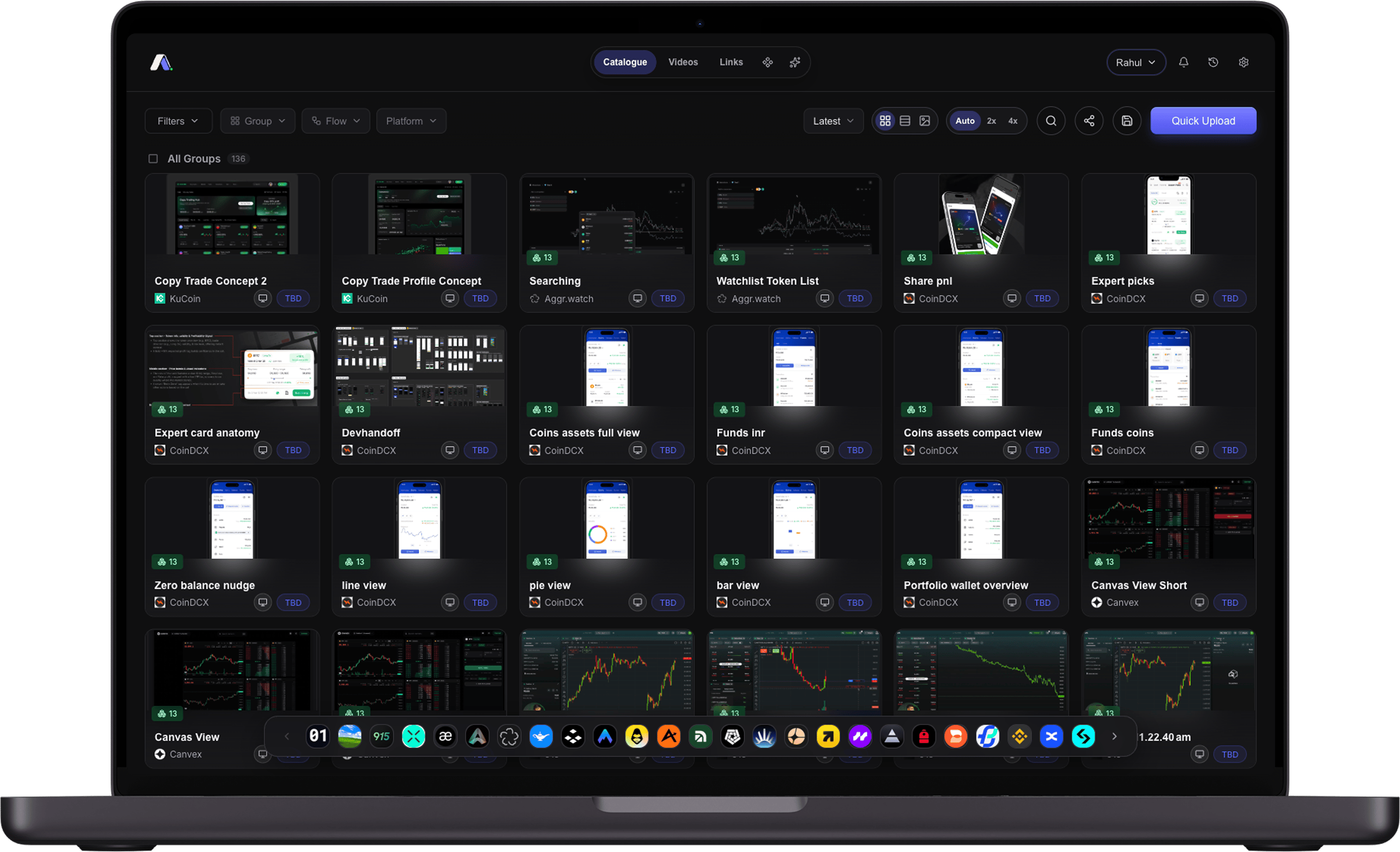
Save references from the browser, phone, Telegram, or a folder upload, so evidence lands in one place instead of a chat thread.
Used by my team
I designed and built AgentUX. It captures real product screens, then keeps the labels and reasoning searchable beside them, for people and AI agents alike.
 stops at the screenshot.
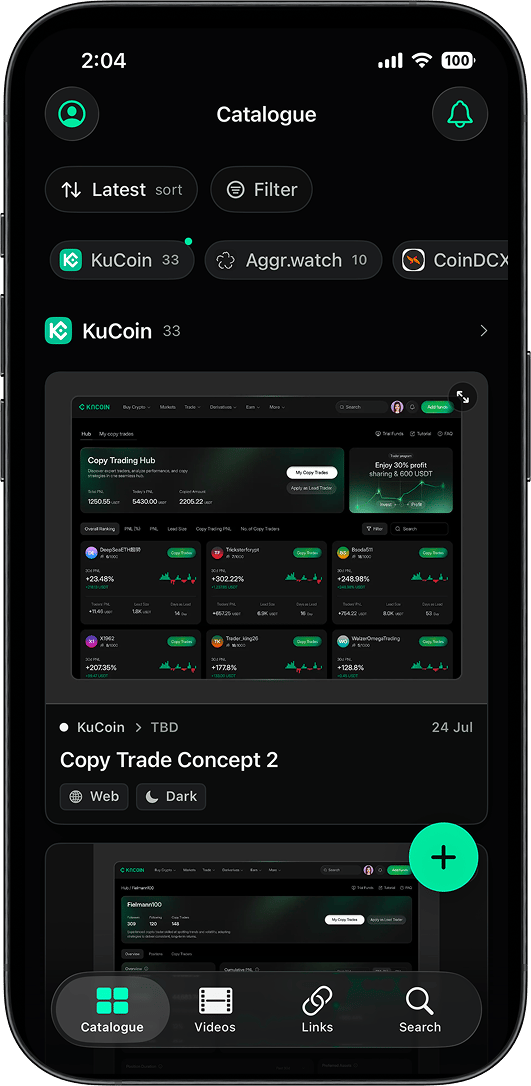
 Built on iOS 26, Apple's Liquid Glass UI
 On TestFlight at V0.1, public release soonBuilt on iOS 26, Apple's Liquid Glass UIOn TestFlight at V0.1, public release soon
The product
Screenshots become useful when the reasoning around them stays searchable. AgentUX turns visual references into a working knowledge layer for the team.
Save references from the browser, phone, Telegram, or a folder upload, so evidence lands in one place instead of a chat thread.
Structure screenshots by product, flow, platform, pattern, and theme, so a screen can be found by any of them.
Pull a pattern back through human search or an AI agent, using the same retrieval core.
Keep annotations and decisions next to the evidence, then send a focused read-only collection instead of a screenshot dump.
Product system
The structure balances speed with judgement. AI can assist, but a designer keeps control of what becomes trusted reference material.
Deep dives
Each deep dive focuses on a different part of the work: agent access, team throughput, technical foundations, and the mobile client. Interaction craft has its own dive, linked from the clips below.
One search core for people and agents, exposed through REST, MCP, and revocable access.
A native app on TestFlight, built on iOS 26, that took over from the Shortcut without breaking it.
Capture, retrieve, discuss, and share references without breaking the team’s flow.
A shared backend that supports web, mobile, Telegram, browser capture, and agent clients.
The features I removed, the things that broke and why, and the one rule that never moved.
An experiment in browsing the catalogue by eye: a hand-picked wall of screens, laid out to be scanned rather than searched.
These clips document real interface work across navigation, browsing, saving, and deletion.